


Ask Claude questions about your Groww account — in plain English.
This project connects your Groww trading account to Claude (or any AI that supports MCP). Once set up, you can type things like "What's my current portfolio value?" or "Show me the option chain for NIFTY" directly in Claude — no more switching tabs.
What is MCP? Model Context Protocol (MCP) is an open standard that lets AI assistants connect to external tools and live data. Think of it as a plug that links Claude to your Groww account.
Once connected, Claude gains access to 18 tools across your entire Groww account:
| Category | What you can ask Claude |
|---|---|
| 💼 Account & Portfolio | "What's my available balance?" / "Show my holdings" |
| 📈 Order Management | "Place a limit order for 10 shares of INFY at ₹1800" |
| 🧠 Smart Orders (GTT/OCO) | "Set a trigger order if RELIANCE crosses ₹2500" |
| 📊 Market Data | "Get the LTP for TCS and WIPRO" / "Show OHLC data" |
| ⚡ Derivatives (FNO) | "Show the NIFTY option chain for this expiry" / "What are the greeks for this contract?" |
See all 18 tools
groww_get_profile— Your Groww account profilegroww_get_balance— Available margins and cash balancegroww_get_holdings— All equity holdingsgroww_get_positions— Live positions (Cash or FNO)groww_place_order— Market, Limit, SL, SL-M ordersgroww_modify_order— Edit a pending ordergroww_cancel_order— Cancel an open ordergroww_create_smart_order— GTT or OCO smart ordersgroww_cancel_smart_order— Cancel a smart order leggroww_get_smart_order_list— View all active smart ordersgroww_get_quote— Full depth, price, and volume for any symbolgroww_get_ltp— Last Traded Price for multiple symbols at oncegroww_get_ohlc— Open, High, Low, Close for multiple symbolsgroww_get_historical_candles— Historical data for backtestinggroww_get_option_chain— Full option chain for indices/stocksgroww_get_greeks— Delta, Theta, Gamma, Vega in real timegroww_get_expiries— Next available expiry datesgroww_get_contracts— All strikes and contracts for an expiry
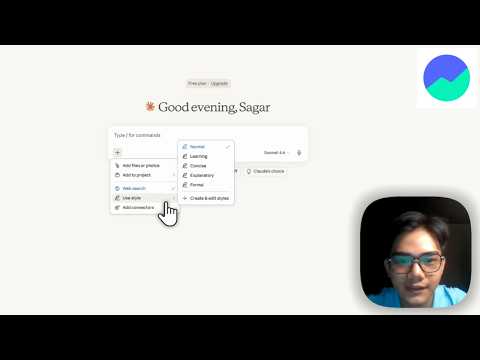
Click the image above to watch the setup guide.
Time needed: ~10 minutes. No prior coding experience required.
Option A (if you have Git):
git clone https://github.com/SAGAR-TAMANG/groww-python-mcp
cd groww-python-mcp
Option B (no Git):
Go to github.com/SAGAR-TAMANG/groww-python-mcp, click the green Code button → Download ZIP, and unzip it.
uv is the tool that installs and runs the Python code for this project. Install it from the official page:
👉 https://docs.astral.sh/uv/getting-started/installation/
Pick your operating system (Windows / macOS / Linux) and follow the one-line install command there. Once done, you can verify it worked:
uv --version- Go to 👉 https://groww.in/trade-api/api-keys
- Sign in and generate your API Key and API Secret
- The free plan is available for the first few months
Keep these safe. Treat them like a password — don't share them or commit them to GitHub.
In the project folder, create a file named .env.local (note the dot at the start) and paste in your credentials:
GROWW_API_KEY=your_api_key_here
GROWW_API_SECRET=your_api_secret_here
Save the file. That's it — your keys stay entirely on your own machine.
Windows users: If your file manager hides files starting with a dot, you can create this file from inside VS Code or any text editor using "Save As" and typing
.env.localas the filename.
Open a terminal inside the project folder and run:
uv sync
uv run main.py
The first command installs everything the project needs. The second starts the server. You'll see something like:
Uvicorn running on http://127.0.0.1:8000
Keep this terminal window open while using Claude. The server needs to stay running.
Open Claude Desktop, go to Settings → Developer, and click Edit Config to open claude_desktop_config.json.
Add the following (replace the path with the actual path to your project folder):
{
  "mcpServers": {
    "groww_mcp": {
      "command": "npx",
      "args": [
        "-y",
        "mcp-remote",
        "http://127.0.0.1:8000/sse"
      ]
    }
  }
}
Finding your path:
- Windows: Open the project folder in File Explorer, click the address bar, and copy the path. Replace backslashes
\with forward slashes/.- macOS/Linux: In the terminal, navigate to the project folder and run
pwdto print the path.
Save the file and restart Claude Desktop. Groww should now appear as a connected tool.
Start a new chat in Claude and ask something like:
- "What is my current Groww balance?"
- "Show me my holdings."
- "What's the LTP for RELIANCE and TCS?"
The server isn't exclusive to Claude Desktop. Any MCP-compatible client can connect to it via:
- SSE Endpoint:
http://127.0.0.1:8000/sse
Just point your client at that URL while the server is running.
Want to explore and test all 18 tools interactively before connecting to Claude? Use the MCP Inspector:
npx @modelcontextprotocol/inspector uv run main.pyThis opens a browser UI where you can call each tool manually and see live responses.
Claude doesn't show Groww as a connected tool
→ Make sure the server is running (uv run main.py) and that you've saved and restarted Claude after editing the config file.
uv: command not found
→ Close and reopen your terminal after installing uv. If it still doesn't work, check the uv installation docs for your OS.
GROWW_API_KEY not found or auth errors
→ Double-check your .env.local file is in the project root folder (same level as main.py) and that the key names are spelled exactly right.
Port 8000 already in use
→ Another app is using that port. Stop it, or check the project docs for how to change the default port.
MIT License — free to use, modify, and distribute.
Developed for the community by SAGAR-TAMANG.