Repository navigation
Main features
Plugin 2026.3.6 requires the 2026.3 IDE line or later (minimum build 263.7307.114). Availability varies with installed IDE plugins. Update and restart the IDE separately for the security fixes in the release advisory; the Magento plugin does not patch the host runtime, embedded browser, or jetbrainsd.
See recent Magento Open Source, Adobe Commerce, and Mage-OS updates directly in your IDE. Automatic hourly checks and Tools → Check Magento Updates keep release notices separate from security alerts, with links to details, a one-day snooze, and recognition of supported local patch configuration.
Available since 2026.3.4 across supported PHP and non-PHP IDEs. 2026.3.4-p1 improves monthly Cloud Patches recognition. Checks cover recent publications and do not verify production deployment.
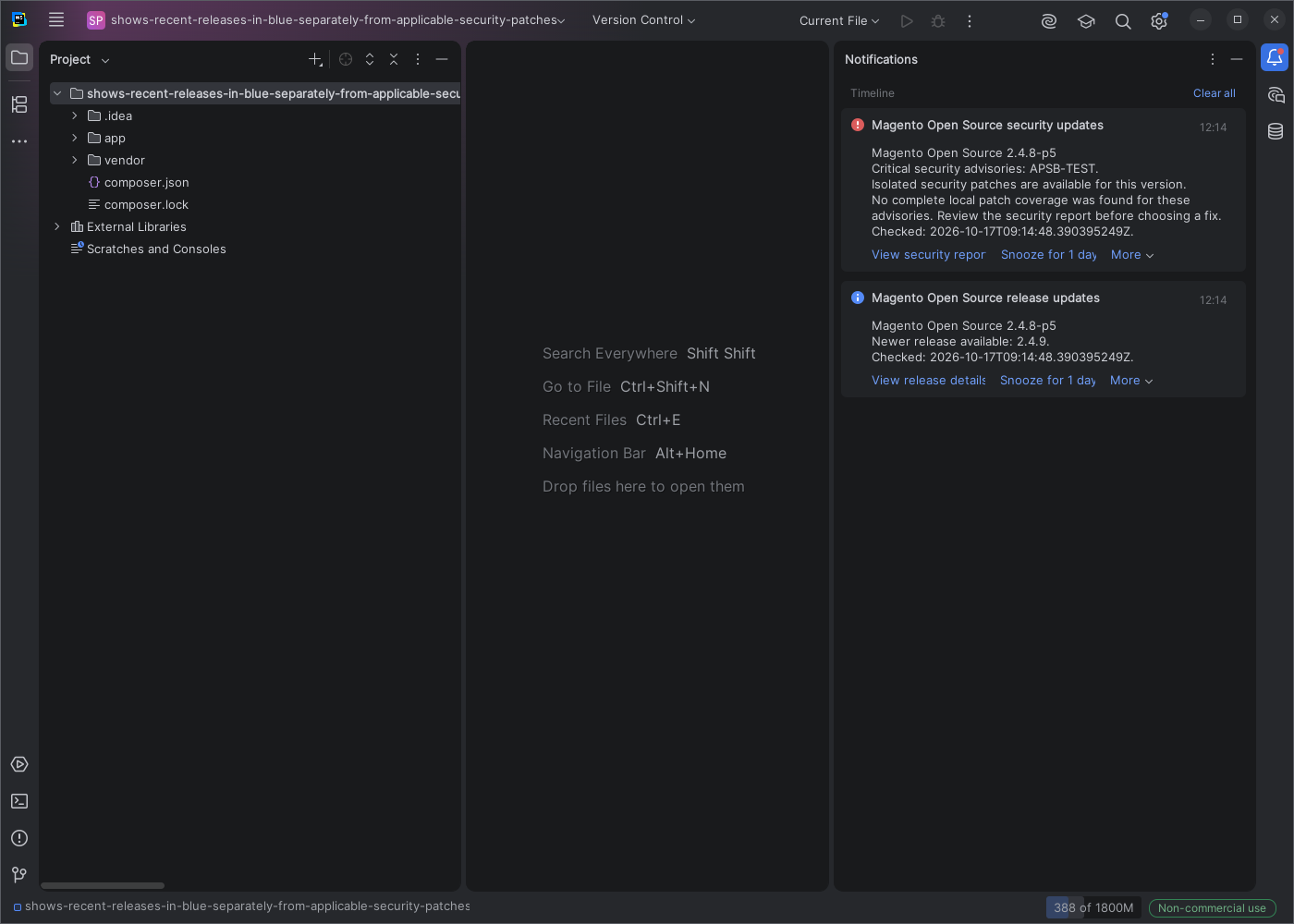
Actual IDE screenshot using a demonstration project and sample advisories.
Code generation is one of the most wanted features in the Magento community. There is a bunch of existing open-source solutions, however, generating code using the IDE seems to be the most convenient way to go. Therefore several actions were created to help with common Magento 2 customizations. Existing manual generators remain available and receive correctness, security, and compatibility fixes; their scope is maintenance-only. All templates used for generation can be found and edited in Preferences/Settings | Editor | File and Code Templates. To use this functionality you need to right-click on the module directory (some items are available for other dirs) and select a needed item in the context menu.
New Magento 2 modules can be created from the context menu or by pressing Ctrl(⌘)+N.

Inspection highlights the following cases:
- Plugin declared for a final class
- Plugin declared for a final method
- Plugin declared for a constructor
- Plugin declared for a not public method
- Plugin declared for a static method
- Incompatible parameter
- Redundant parameter


Ability to copy Magento Path for JS, PHTML, CSS, and other files.

Connect your AI assistant through JetBrains MCP to generate Magento code, inspect project configuration, and check upgrade compatibility with magento_scaffold, magento_inspect, and magento_compatibility. Magento CLI environment discovery and bundled agent skills help the assistant work with your project.
Without the JetBrains PHP plugin, project configuration, indexing exclusions, CLI and Magerun discovery, and shared magento_inspect queries (module, di_config, observers_for_event, layout_entities, ui_component, acl_or_menu) are available. XML declaration lookup does not imply PHP semantic analysis. plugins_for_method, magento_scaffold, and magento_compatibility require PHP support. See project configuration and indexing.
Ask your assistant to scan a module or path with the built-in UCT through MCP.
For external UCT runs on large projects, set PHP memory limit in the Upgrade Compatibility Tool run configuration, for example 2G. Leave it empty to use the PHP interpreter's setting.