

Wordpress plugin for pix chekout bypass from given pix key and value
- Provides a shortcode to generate a QR code and a copyable text with the pix key and value
- Customize button text
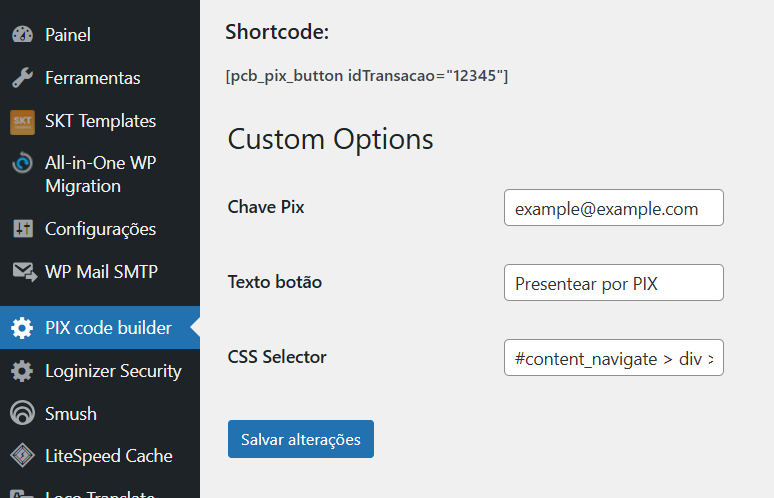
Based on the code originally from: https://www.mco2.com.br/artigos/aprenda-como-gerar-qr-code-e-codigo-pix-em-php.html
Self hosted pcb-standalone.php endpoint: https://m2utilities.6te.net/pixcode/?pix=pixcode@example.com&v=100&id=123`
JS usage example:
document.addEventListener('DOMContentLoaded', function() {


			const chavePix = "example@example.com";  //Replace with your PIX key

			const button = document.getElementById('pcb-pix-button');
			// listen to click in button #pcb-pix-button


			if (button) {
				button.addEventListener('click', function () {
					// Extract and format the value
					let value = document.querySelector("#gift-value").innerText.replace(/\u00a0/g, ' ').trim(); // Remove non-breaking spaces
					value = value.replace('R$ ', '').replace('.', '').replace(',', '.'); // Remove currency symbol and format to a valid number

					// Construct the URL with encoded parameters
					const url = `https://m2utilities.6te.net/pixcode/?pix=${encodeURIComponent(chavePix)}&v=${encodeURIComponent(value)}&id=123`;

					// Perform the fetch request
					fetch(url)
					.then((response) => {
						if (!response.ok) {
							throw new Error(`HTTP error! Status: ${response.status}`);
						}
						return response.json();
					})
					.then((data) => {
						// Remove the button
						const parent = button.parentNode;
						parent.removeChild(button);

						// Handle the PIX code and QR code
						if (data.codigoPix) {
							if (navigator.clipboard && navigator.clipboard.writeText) {
								navigator.clipboard.writeText(data.codigoPix)
									.then(() => {
										alert('Código Pix copiado para área de transferência! Continue o pagamento no app do seu banco');
									})
									.catch((err) => {
										console.error('Failed to copy text: ', err);
									});
							}
							const p = document.createElement('p');
							p.innerText = "Use o QR code abaixo ou copie o código Pix para o seu aplicativo bancário.";
							parent.appendChild(p);

							const p2 = document.createElement('p');
							p2.innerText = data.codigoPix;
							parent.appendChild(p2);
						}

						if (data.qr_code_img_src) {
							const img = document.createElement('img');
							img.src = data.qr_code_img_src;
							parent.appendChild(img);
						}
					})
					.catch((error) => {
						console.error('Error:', error);
						alert('Ocorreu um erro ao gerar o código PIX. Tente novamente.');
					});
				});
			} else {
				console.error('Button not found');
			}


		});
        ```