

A small addon for World of Warcraft: Forever that makes lootable things sparkle, so you never walk past them.
- Quest items always show the game's loot sparkle, even after a graphics preset turns it off.
- Herbs and ore veins sparkle as you approach them, which the game can't do on its own.
- Gathering icons float above the node you're heading for.
- Everything is optional, under Esc > Options > AddOns. No slash commands, nothing to set up.
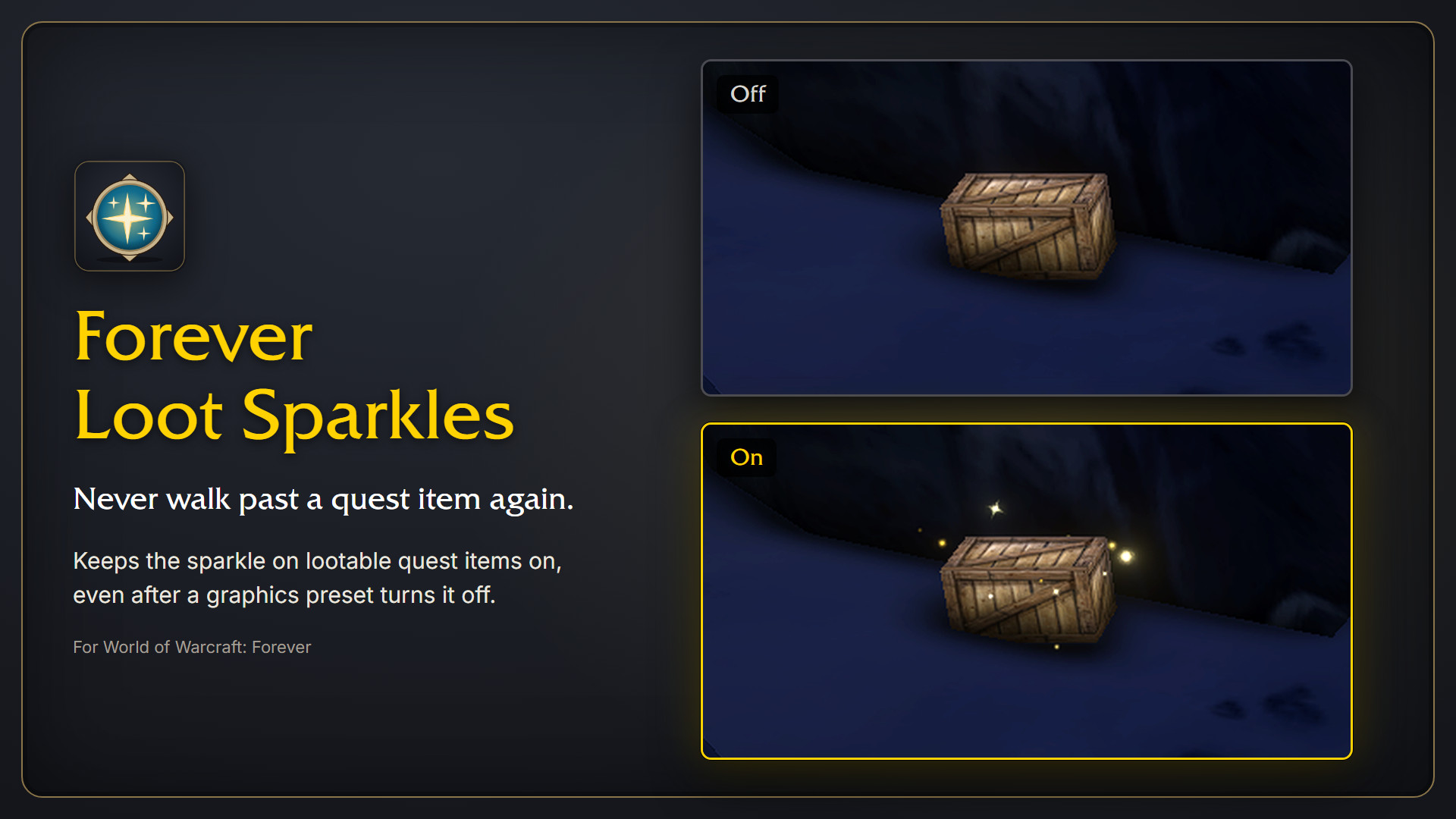
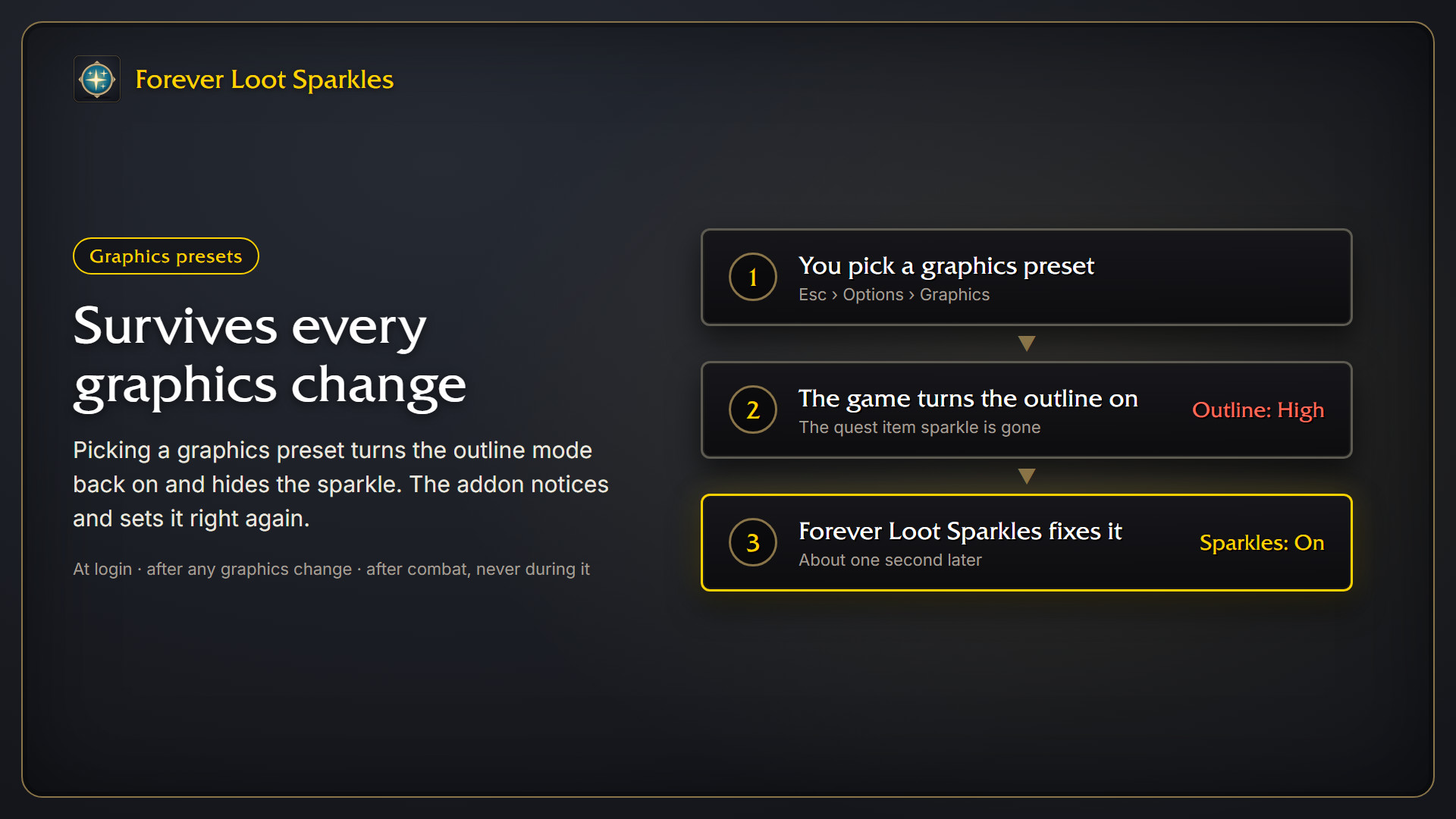
The game only shows the sparkle on quest items while the outline mode is off. Graphics presets switch the outline back on, so the addon sets the needed console variables at login, and again about a second after any graphics change resets them. During combat it waits until the fight is over.
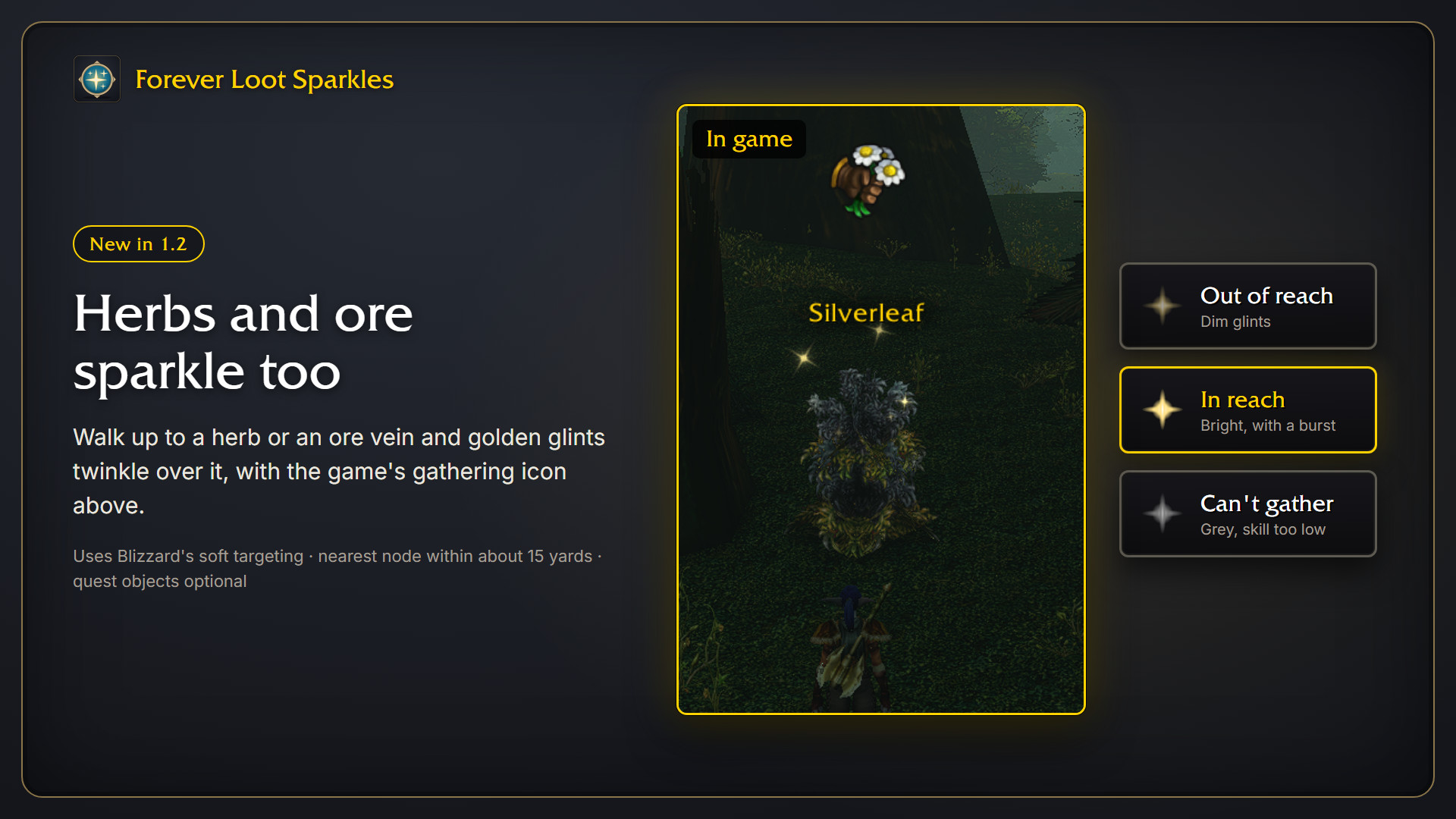
The game has no sparkle for ore veins and herbs, so the addon adds its own. As you approach a node, a small cluster of golden glints twinkles over it, and the game's gathering icon appears above it.
- Out of reach: the glints are dim.
- In reach: they brighten with a short burst, so you know you can gather now.
- Can't gather: they turn grey, for example when your skill is too low.
This uses Blizzard's soft targeting, which picks the nearest interactable object around you, up to about 15 yards away. Only one node sparkles at a time: the one the game would interact with. Quest objects can get the same treatment, but that is off by default, since the loot sparkle above already marks most of them.
The addon only switches on the game's name and icon for nodes that sparkle. NPCs, mailboxes and other objects still work with the interact key as usual. During combat nodes don't sparkle; they come back as soon as the fight is over.
The game's loot sparkle leaves some corpses out, bosses among them. Once the fight is over, a corpse that still holds loot for you gets the same golden glints as you approach it. The game doesn't let addons say what is in a corpse before it is opened, so the glints only say "there is loot left", not what it is.
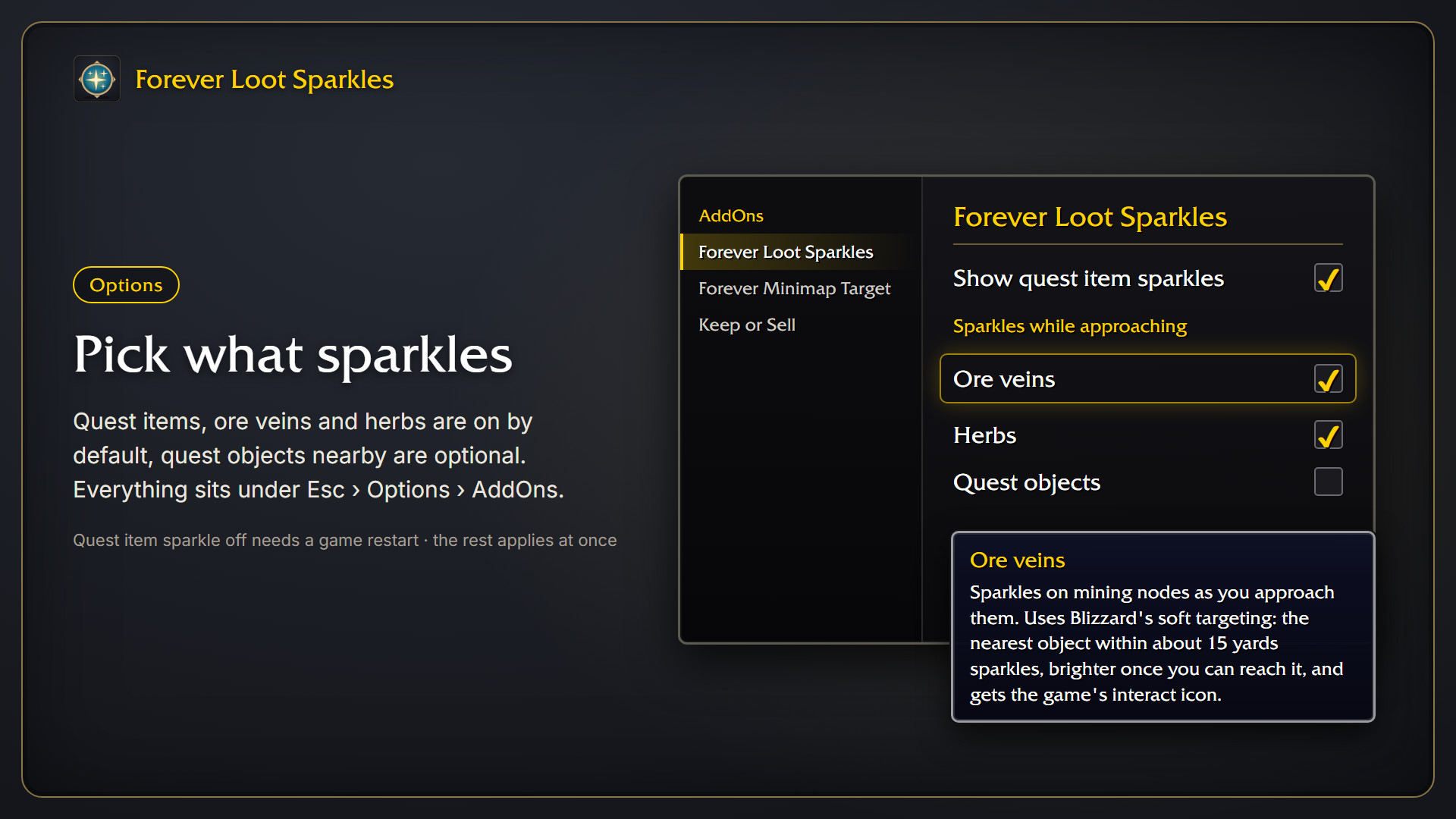
Open Esc > Options > AddOns > Forever Loot Sparkles.
| Checkbox | Default | What it does |
|---|---|---|
| Show quest item sparkles | on | Keeps the outline mode off and the loot sparkle on. |
| Ore veins | on | Sparkles and icon on mining nodes. |
| Herbs | on | Sparkles and icon on herbs. |
| Quest objects | off | Extra sparkles on quest objects nearby. |
| Corpses with loot | on | Sparkles on corpses that still hold loot for you, after the fight. |
The four bottom checkboxes take effect at once. Show quest item sparkles works at once when you switch it on, but switching it off only takes effect after restarting the game (/reload is not enough). The panel shows a reminder.
- Download the latest release zip, or install it with the CurseForge app.
- Extract it so you have
World of Warcraft\_classic_beta_\Interface\AddOns\ForeverLootSparkles. - Restart the game or type
/reload.
Why don't herbs get the same sparkle as quest items? The game has no setting for that. The quest item sparkle replaces the outline that quest items have, and herbs and ore have no such outline. That is why the addon draws its own glints instead.
Can the range be larger than 15 yards? The addon asks the game for the largest range, but the game itself drops the target at about 15 yards.
I also see an icon above NPCs or other objects. The game's soft target icons are switched on for everything you can interact with, not only for herbs and ore.
Why don't nodes sparkle during combat? The game doesn't let addons change these settings during combat. Keeping the sparkle on through a fight would also show a 0% health nameplate over every lootable corpse, so the addon switches it off when combat starts.
The corpse I walk up to shows a name and health bar. That is the game's own nameplate, which the corpse sparkle hangs on. Only the one corpse the game would loot next gets it, and only while it still holds loot for you. Untick Corpses with loot if you'd rather not see it.
Does it work together with Lueur? Don't run both at once. They change the same soft targeting settings and get in each other's way.
The easiest way is the checkboxes under Options (see above), which put the settings back for you. Untick all of them before you disable the addon.
Disabling the addon in the addon list does not undo the settings, because WoW saves console variables itself. After disabling it, either pick a graphics preset again, or type:
/console outlineModeShowLootEffectWhenDisabled 0
/console graphicsOutlineMode 2
Then restart the game.
The soft targeting settings are put back as soon as Ore veins, Herbs, Quest objects and Corpses with loot are all off.
For the quest item sparkles:
| Console variable | Value |
|---|---|
outlineModeShowLootEffectWhenDisabled |
1 |
graphicsOutlineMode |
0 |
OutlineEngineMode |
0 |
raidGraphicsOutlineMode |
0 |
RAIDOutlineEngineMode |
0 |
For the herb and ore sparkles, while at least one of their checkboxes is on (the original values are saved and restored):
| Console variable | Value |
|---|---|
SoftTargetInteract |
3 |
SoftTargetInteractRange |
60 (the game still stops at about 15 yards) |
SoftTargetInteractArc |
2 |
SoftTargetInteractOnlyInRange |
0 |
SoftTargetIconInteract |
1 |
SoftTargetIconGameObject |
1 |
SoftTargetLowPriorityIcons |
1 |
SoftTargetNameplateInteract |
1 on a node that sparkles, otherwise 0 |
The addon is free and always will be. If it made your game a bit nicer, you can buy me a coffee.